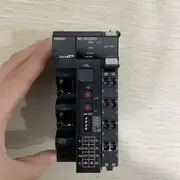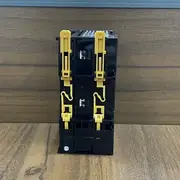
Part of the Omron NX-Series Safety & I/O series — see the full model table, lifecycle status and replacement parts.
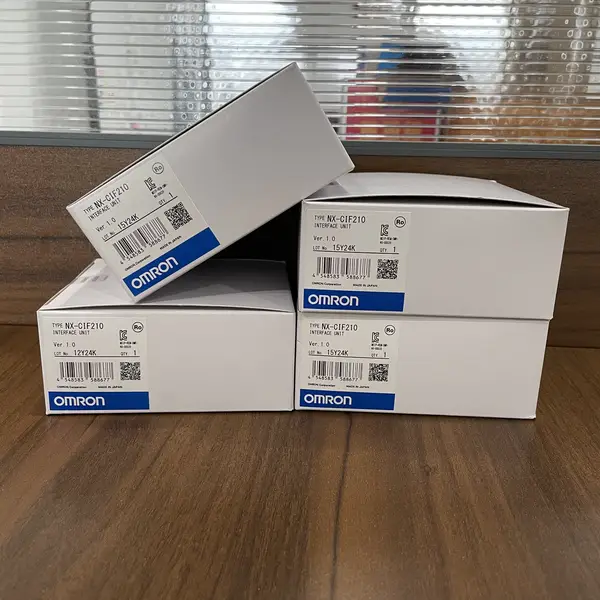
Omron NX-CIF210 — NX 2-Port RS-232C Comm, 30 mm
SKU: NX-CIF210USD 195.00
Omron NX-CIF210 NX-series 2-port RS-232C serial communication interface unit, 9-pin D-sub, 230.4 kbps. In stock, China shipping.
1-Year Warranty
Full manufacturer warranty
Global Shipping
Worldwide delivery available
Genuine Omron
100% authentic product
Ready to Ship
Usually ships within 24h
In Stock
This item is available for immediate shipment from our warehouse.
Contact for pricing, bulk discounts, and shipping
Product Overview
The Omron NX-CIF210 is the NX-series 2-port RS-232C communications interface unit, manufactured by Omron Corporation. Hengyixin Automation stocks this controller option board in Xiamen and ships within 3-5 business days to most Asian, European, and North American ports. Specifications on this page were checked against Omron's NX-series Communications Interface Unit datasheet.
It plugs into the NX I/O bus behind an NX-ECC201 EtherCouCoupler, NX102, or NX1P2 CPU and gives two independent RS-232C ports on 9-pin D-sub connectors. No-protocol mode (NOT Modbus-RTU / Host Link - those are NX-CIF101). Baud rate 1,200 to 230,400 bps; 7 or 8 data bits; even, odd, or no parity; 1 or 2 stop bits. Flow control none, RS-CS, or Xon-Xoff. Maximum communications distance 15 m.
Free-Run refreshing only; PDO data size 4 to 80 bytes in/out. Power consumption 1.15 W on CPU, 0.95 W on Coupler. No isolation. The slice is 30 mm wide, 100 x 77 mm, 91 g. For Modbus-RTU and Host Link on two ports of RS-232C/422A/485 pick NX-CIF101.
Key Features
- NX-series Communications Interface Unit with 2 RS-232C ports on 9-pin D-sub connectors, no-protocol mode only
- Baud rate 1,200 to 230,400 bps, 7 or 8 data bits, even/odd/none parity, 1 or 2 stop bits, RS-CS or Xon-Xoff flow control
- Free-Run refreshing only, PDO data size 4 to 80 bytes in/out, 1:1 connection, 15 m max cable
- NX unit power 1.15 W on CPU / 0.95 W on Coupler, 30 x 100 x 77 mm, 91 g, no isolation, SIL None
- SKU: NX-CIF210
- Series: NX-series Communications Interface Unit (NX-CIF family) on NX I/O Bus and EtherCAT Coupler
Best-Fit Applications
- Connecting a barcode reader and a serial printer to an NX102-1200 over the NX I/O bus, each on its own RS-232C port
- Receiving ASCII strings from a lab balance or pH meter into an NX1P2-9024DT over no-protocol RS-232C at 9,600 bps
- Spare replacement on a small machine where the original NX-CIF210 was lost and Sysmac Studio holds the serial port configuration
Buying Checklist
- Pick the NX-CIF210 when the project needs two RS-232C ports in no-protocol mode on a 30 mm wide NX I/O slice.
- Pick the NX-CIF101 instead when the two ports need Modbus-RTU / Host Link on RS-232C / RS-422A / RS-485 instead of no-protocol.
- Pick the NX-ILM400 instead when the field devices are IO-Link sensors and the master needs to scan them on EtherCAT.
Technical Specifications
| Manufacturer | Omron Corporation (Japan) |
|---|---|
| Series | NX-series Communications Interface Unit (NX-CIF family) on NX I/O Bus and EtherCAT Coupler |
| Model / SKU | NX-CIF210 |
| Number of Ports | 2 RS-232C ports (independent); NX-CIF101 is the 1-port RS-232C unit, NX-CIF105 the RS-422A/485 unit |
| Connector | 9-pin D-sub connector (male) per port |
| Communications Protocol | No-protocol mode (full duplex); not Modbus-RTU / Host Link (the single-port RS-232C no-protocol unit is NX-CIF101; RS-422A/485 is the NX-CIF105) |
| Baud Rate | 1,200 / 2,400 / 4,800 / 9,600 / 19,200 / 38,400 / 57,600 / 115,200 / 230,400 bps |
| Data Format | Data length 7 or 8 bits; parity even / odd / none; stop bits 1 or 2 |
| Flow Control | None / RS-CS / Xon-Xoff; flow control target send-receive / send only / receive only |
| Refreshing | Free-Run refreshing only; PDO data size 4 to 80 bytes in/out; maximum communications distance 15 m; 1:1 connection only |
| Isolation / Power | No isolation; power consumption 1.15 W on CPU, 0.95 W on Coupler; transmission buffering enabled/disabled in Unit settings |
| Dimensions / Approvals | 30 (W) x 100 (H) x 77 (D) mm; 91 g; IP20; SIL None; CE, cULus (Class I Div 2), RCM, KC, NK, EAC |
Manufacturer documentation
Omron's own product page, where the manufacturer's current specification and lifecycle information are published. We are an independent distributor and cannot mirror those documents; the link goes to Omron's site.
FAQ for NX-CIF210
What is the Omron NX-CIF210 used for?
It is the NX-series 2-port RS-232C communications interface unit for the NX I/O bus. Typical uses are connecting a barcode reader and a serial printer, receiving ASCII strings from a lab balance or pH meter, and spare replacement on a small machine where Sysmac Studio holds the serial port configuration.
NX-CIF210 vs NX-CIF101 - what is the difference?
Both are NX-series communications interface units with two ports. The NX-CIF210 has two RS-232C ports in no-protocol mode only. The NX-CIF101 has two RS-232C ports that can each be set to RS-232C / RS-422A / RS-485 and that support Modbus-RTU master/slave and Host Link in addition to no-protocol. Pick the NX-CIF210 for barcode readers, printers, and lab instruments on no-protocol ASCII; pick the NX-CIF101 when the field devices need Modbus-RTU.
What is the maximum baud rate on the NX-CIF210?
230,400 bps. The serial setting covers 1,200 / 2,400 / 4,800 / 9,600 / 19,200 / 38,400 / 57,600 / 115,200 / 230,400 bps. Maximum cable distance is 15 m. For longer runs or 115,200 bps plus, drop to 38,400 bps or move to RS-422A / RS-485 on an NX-CIF101.
Does the NX-CIF210 have galvanic isolation?
No. The NX-CIF210 spec page lists "No isolation" under isolation method. For RS-232C in most factory panels this is fine because RS-232C is single-ended and short-distance. For long cable runs in a noisy cabinet, add an external RS-232C isolator or switch to RS-422A / RS-485 on an NX-CIF101.
How do I configure the NX-CIF210 in Sysmac Studio?
Add the NX-CIF210 under Configurations - I/O - NX, set the number of ports to 2, choose no-protocol mode, set the baud rate, data bits, parity, stop bits, and flow control to match the field device, and bind the two ports to two no-protocol Send/Receive variables in the program. Use the NX-Series Communications Interface Units User's Manual W540 for the full step-by-step.
Similar Products
Explore related Omron models often viewed alongside this product.