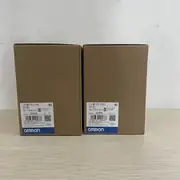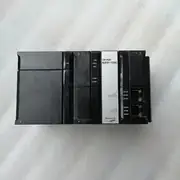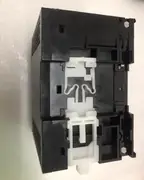
Part of the Omron NX-Series Safety & I/O series — see the full model table, lifecycle status and replacement parts.
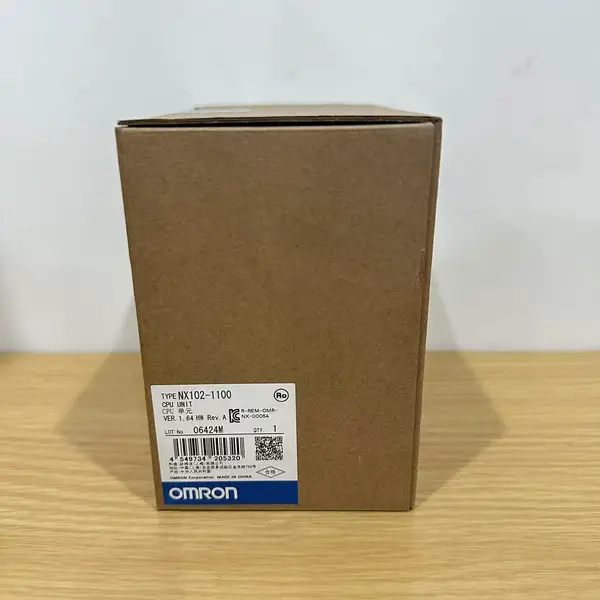
Omron NX102-1000 — Machine Automation Controller
SKU: NX102-1000USD 835.00
combines PLC sequence, motion, and OPC-UA in a 72mm-wide unit — 5MB program memory, 2 synchronous axes via EtherCAT
1-Year Warranty
Full manufacturer warranty
Global Shipping
Worldwide delivery available
Genuine Omron
100% authentic product
Ready to Ship
Usually ships within 24h
In Stock
This item is available for immediate shipment from our warehouse.
Contact for pricing, bulk discounts, and shipping
Product Overview
The Omron NX102-1000 sits in the middle of Omron's NX102 lineup — a step up from the NX102-9000 (no EtherCAT) and a tier below the NX102-1100/1200 (higher axis counts and program memory). manufactured by Omron Corporation. Hengyixin Automation stocks this controller in Xiamen and ships within 3-5 business days to most Asian, European, and North American ports. Specifications on this page were checked against Omron's NX1 Machine Automation Controller datasheet.
The 1000 suffix is the model code for the standard variant: 5MB program memory, 33.5MB variables, 2 synchronous axes via the built-in EtherCAT master, 4 PTP axes, and 15 total axes including virtual. In a typical machine, the NX102-1000 acts as the main controller for packaging, material handling, and assembly cells that need deterministic motion but don't justify the larger NJ5 series.
Compared to the NJ501-1300 (the flagship), the NX102-1000 is smaller, cheaper, and has lower axis capacity — but for most 2–4 axis machines it's the right fit.
Key Features
- Program Capacity: 5 MB
- Motion Axes: 12 real axes max, 15 including virtual
- EtherCAT Ports: 1 port (plus 2 EtherNet/IP ports)
- Ethernet Ports: 2 ports
- SKU: NX102-1000
- Series: NX102
Best-Fit Applications
- Replacing legacy CJ2M + pulse-output modules with native EtherCAT motion in retrofit projects
- Coordinating 2-axis delta robots on food-grade pick-and-place cells with EtherCAT drives
- Running 4-axis SCARA arms in electronics assembly with vision-triggered corrections
Buying Checklist
- Native EtherCAT master removes the need for a separate CJ1W-ECT21 slave unit
- No-battery design reduces maintenance — no scheduled battery swaps like CJ1/NJ5
- OPC-UA server built in, no additional software required for MES data exchange
Technical Specifications
| Model | NX102-1000 |
|---|---|
| Series | NX102 |
| Type | Machine Automation Controller |
| Program Capacity | 5 MB |
| Motion Axes | 12 real axes max (4 EtherCAT motion-control axes + 4 single-axis position-control axes); 15 axes including virtual |
| EtherCAT Ports | 1 port (100 Mbps); the unit's three built-in industrial Ethernet ports are 2x EtherNet/IP plus 1x EtherCAT |
| Ethernet Ports | 2 ports (10/100 Mbps) |
| USB Ports | 2 ports |
| Supply Voltage | DC24V |
| Operating Temperature | 0 to +55°C |
| Mounting | DIN rail |
Manufacturer documentation
Omron's own product page, where the manufacturer's current specification and lifecycle information are published. We are an independent distributor and cannot mirror those documents; the link goes to Omron's site.
FAQ for NX102-1000
What's the difference between NX102-1000 and NX102-1100?
The 1000 has 5MB program memory and 2 synchronous axes; the 1100 has 10MB and 4 synchronous axes. For machines that don't need 4+ synchronised axes, the 1000 is the right pick. The 1100 is for larger or more complex machines with more EtherCAT slaves.
How many axes can the NX102-1000 control in total?
2 synchronous axes (motion engines running in lockstep) + 4 PTP axes (point-to-point, independently commanded) + virtual axes, for 15 total. PTP and synchronous axes can coexist — for example, 1 synchronous group of 2 axes plus 4 standalone PTP axes uses 6 of the 15.
Can the NX102-1000 work with existing CJ1 I/O over EtherCAT?
Indirectly, yes — via a CJ1W-ECT21 EtherCAT slave unit on the CJ1 rack. The NX102-1000 talks EtherCAT to the ECT21, and the ECT21 exposes the CJ1 I/O bus. Migration projects typically keep CJ1 I/O for cost reasons and replace the CPU with NX102 over a planned retrofit window.
How do I troubleshoot ERR/ALM on the NX102-1000?
Most ERR/ALM states stop the program and clear all outputs. Connect via USB or Ethernet, open Sysmac Studio, and read the error from the Controller Event Log. The most common error is 0x85540000 (NX Bus I/O config mismatch) — fix the unit layout in the project, transfer to controller, and cycle power. Other common errors are 0x04500001 (CPU error) and 0x84D00000 (motion periodic task overflow).
Similar Products
Explore related Omron models often viewed alongside this product.